
Fiber Internet Payment Changes
Beginning November 19, 2026, fiber internet bill payments will no longer be accepted at MidSouth kiosks or by mail submission.
We want to ensure you have time to transition to our convenient online payment portal prior to November 19. To pay by ACH directly from your bank account or using a debit or credit card, Please follow the steps below:
Step 1: Visit Our Website
Go to www.midsouthfiber.com
Click Log in in the top-right corner of the page.

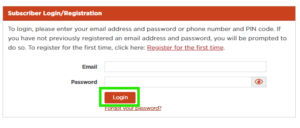
Step 2: Log In to Your Account
Enter your registered email address and password, then sign in to your account.
Step 3: Select a Payment Option
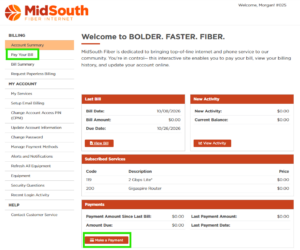
Choose either Pay Your Bill or Make a Payment within your online account.
Note: Both options will take you to the same payment page.
Step 4: Enter Your Payment Amount
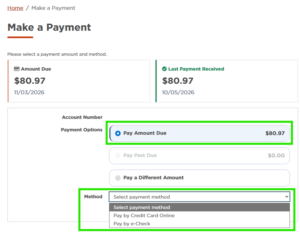
On the payment screen, select one of the following options:
- Pay Amount Due
- Pay Past Due (if applicable)
- Pay a Different Amount
Next, select your preferred payment method and click Continue.

Step 5: Choose a Saved Payment Method or Enter a New One
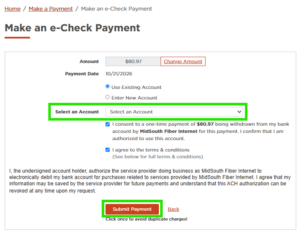
Use Existing Account:
- Select account from drop down you want to use
Enter New Account:
- Enter card or bank account details
- These options are available for both credit/debit card payments and e-checks.
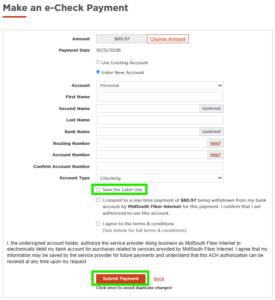
Step 6: Complete Your Payment
If entering a new payment method, provide the required payment information.
You may choose to:
- Make a one-time payment, or
- Save your payment method for future use
Review your payment details and click Submit Payment to complete your transaction.